
The best way to set up an auto-reply is by adding it to your Cloud Mail account.
Log in to your email at https://webmail.pshift.com
Once logged in, click on your email address on the top right and go to Settings
Click Incoming Email on the left menu.
Here you will see where you can turn on an Auto-Reply, write your message and choose when to enable the auto-reply.
Enter your information and click Save at the bottom.
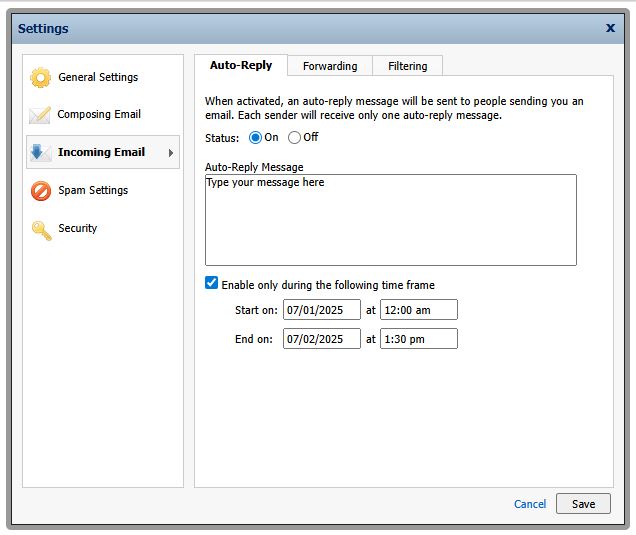
Please note that the auto reply will only send one reply to each sender while it is turned on.